Observing my coding agents without leaving localhost
Table of Contents
TMA1: a local observability tool for AI coding agents with full session trace, tool decision breakdown, latency tracking, and SQL-queryable storage. I’ve been running Claude Code and Codex for almost a year. One thing has always bugged me: I can roughly follow what the agent is doing in the terminal, but I have no idea how much a session actually cost, why a particular tool call hung for 8 seconds, or what decisions the agent made during that 40-minute run last week. Recently I started playing with OpenClaw, and the problem got worse — more agents, more blind spots. Cost tracking is a solved problem — good tools exist for that. What I wanted was the rest of it: full session interaction trace, tool decision breakdown, p50/p95 latency per tool, anomaly detection. Stored locally. Queryable with SQL. No cloud account, no Docker, no Grafana. Couldn’t find anything that fit, so I built it: TMA1.AI. Single Go process, embedded database, runs locally. Your agent sends OpenTelemetry data to If the agent already reports native metrics, TMA1 uses those directly. For signals the agent doesn’t expose, it derives token usage, cost, and latency aggregations from traces. No double-write, no extra agent configuration. Everything lives in The dashboard auto-detects the data source and switches to the right view. The OpenClaw dashboard goes a step further: per-channel cost and message flow breakdown, aggregating spans under the same The easiest path: paste this into your agent and let it handle installation and configuration. Or install manually: Then point your agent’s OTel exporter at the local endpoint. Per-agent config is in SKILL.md. TMA-1 is the monolith buried on the moon in 2001: A Space Odyssey — silently recording everything until someone digs it out. “Your agent runs. TMA1 remembers.”How it works
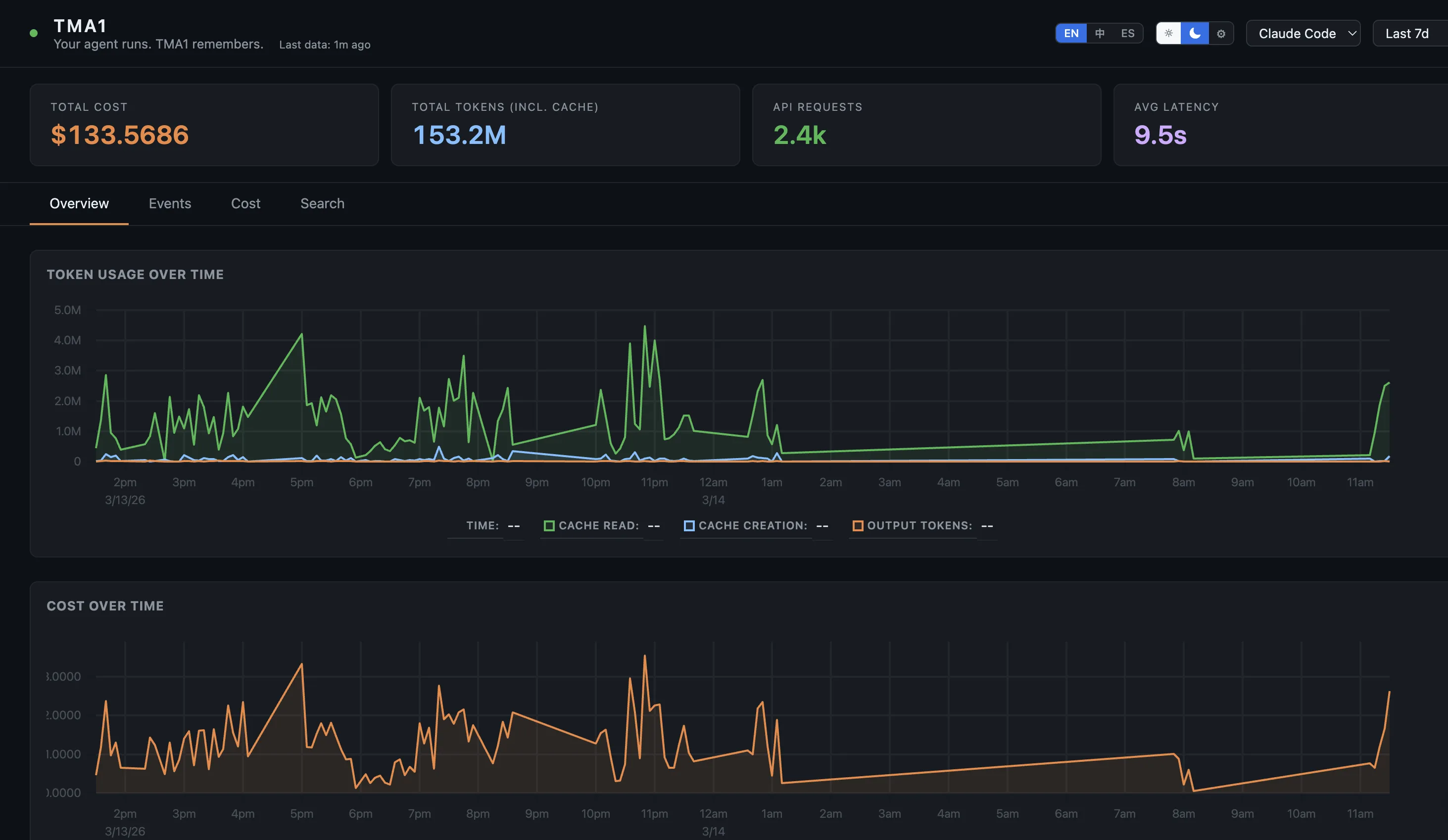
http://localhost:14318/v1/otlp, TMA1 stores it, and the dashboard is served at http://localhost:14318 from the same process — nothing else to run.trace_id links spans to conversation logs. Spot an expensive spike in the cost chart — click through and you’re reading the full conversation that caused it. That drill-down is the whole reason I built this.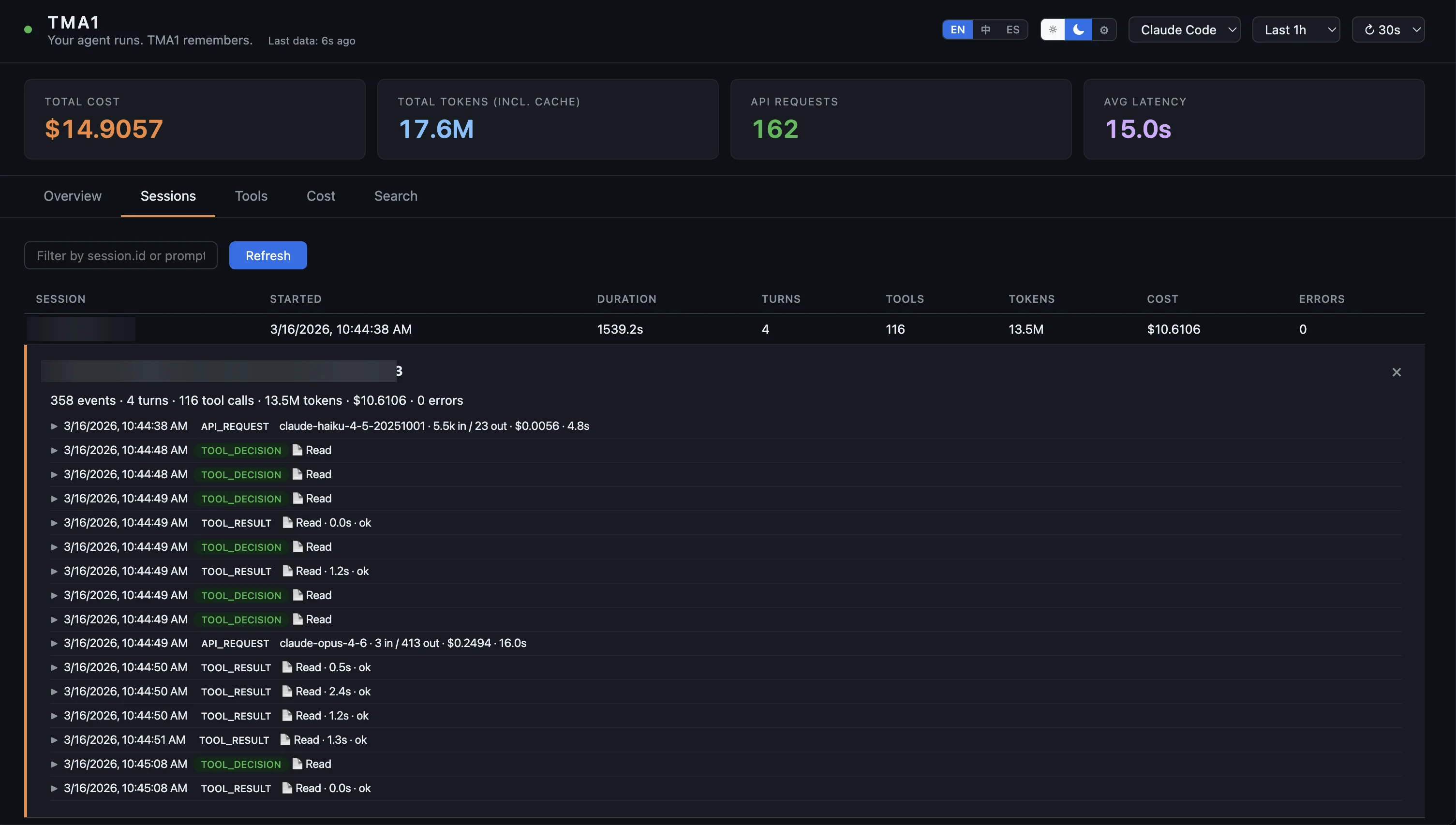
~/.tma1/. Nothing is uploaded. No account. After the initial install, it works completely offline.Supported agents
sessionKey into full sessions, and dedicated monitoring for webhook errors and stuck sessions. Useful if you’re running a multi-channel bot.Getting started
Read https://tma1.ai/SKILL.md and follow the instructions
to install and configure TMA1 for your AI agent
curl -fsSL https://tma1.ai/install.sh | bash   # macOS / Linux
irm https://tma1.ai/install.ps1 | iex          # Windows PowerShell
The name